Making a danmaku engine from scratch
Create! - Keiki Haniyasushin
Published @ 2025/11/23 11:39 (GMT-3) / Modified @ 2026/07/03 13:09 (GMT-3)
Tags: programming, projects, c++, lua, videogames, touhou
Introduction
Some years ago I came upon a peculiar videogame series, I recall having seen it referenced multiple times in the past in other videogames or in silly internet culture but never quite got involved with it, probably because of lazyness. That was until I decided to try one of its games out, and then I almost immediately fell in love with it.
I’m talking of course about Touhou Project, a series of 2D STGs (shoot 'em outs) dōjin videogames made by a single guy that goes by the name “ZUN”. The first Touhou game that I ever played was “Touhou 06 ~ The embodiment of Scarlet Devil”, the first game on the series that was released on Windows.
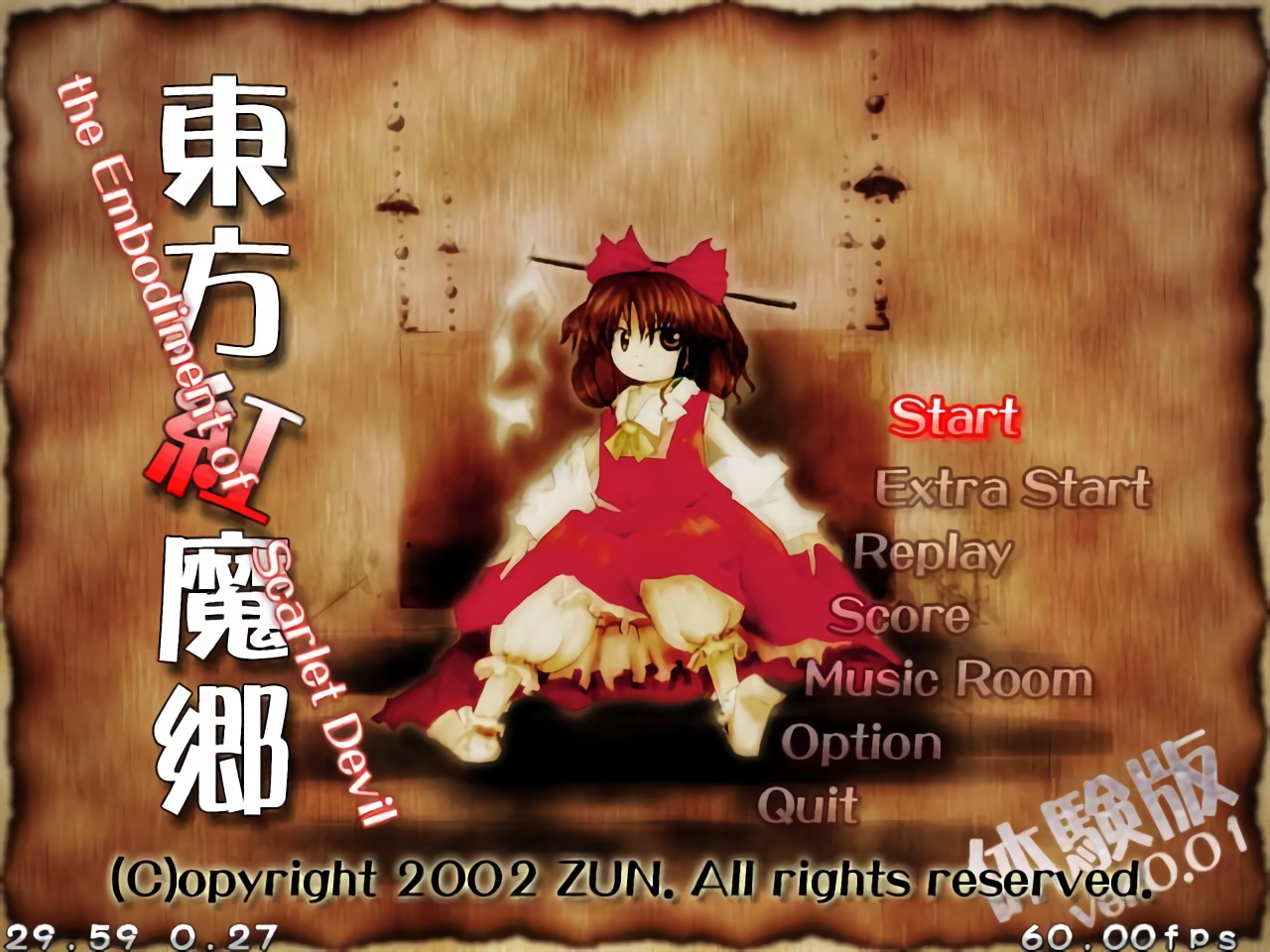
Touhou 06 title screen
If you are not familliar with Touhou you might ask what even is the interesting thing about these games? Well, for me it all boils down to a few things: The characters, the music, the challenging gameplay and, most importantly, the community behind them.
The Touhou games are actually part of a subgenre of STGs that is usually referred to as “danmaku” games. According to the Touhou Wiki:
Danmaku (弾幕, “barrage”, lit. “bullet curtain”) refers to a style of shoot-’em-up video game featuring complex patterns of dozens to hundreds of enemy bullets.
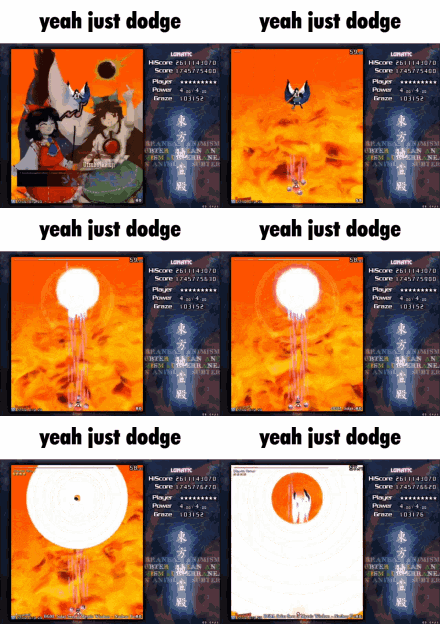
Average Touhou boss battle experience
Touhou games can be quite difficult, they involve a lot of pattern memorization and some resource management regarding your lifes, available bombs and power. This is might be a reason why you can find a lot of fans that have never actually played the games and rely only on content made by other fans.
As I said before these games have a huge following, even outside Japan. This is because of the general culture in dōjin circles of creating derivative content and the very lax guidelines that ZUN has defined for fan content.
This resulted on a whole lot of fan-made games involving the series’ characters, even games with genres that have very little in common with bullet hells like metroidvanias, racing games and cooking games. What I want to focus on are the danmaku fan games, specifically on two games (or engines): Touhou Danmakufu and the Taisei Project.
When I first saw these projects I thought, “how difficult can it be to make this myself?”. Well, that is exactly what I want to find out here.
Planning
The general plan is the following: Create a 2D game engine focused on creating Touhou like STGs using some scripting engine.
Being a little more specific, I want to achieve at least the following:
- Implement the following systems:
- Rendering engine
- General gameplay things:
- Player character, enemies, bullets and lasers
- Animations
- Collisions
- Game Events
- Dialogs
- Scripting API
- Game state manipulation
- Asset loading
- GUI construction
- Configs
- Asset management
- Sound engine
- Stage Replay saving and loading
- Expose to the user a way to load the following assets:
- Stage Scripts
- Textures (sprites)
- Sound (Music and sound effects in general)
- Simple 3D models (for backgrounds or stage effects)
- Custom shaders
- Give the user some tools to create the assets for their scripts (mainly for packaging reasons)
Implementation
I decided to use C++ as the internal engine language since I’m already developing a rendering framework for it. I also went and made a fun little C utility to manage sprites just for this project.
Looking through danmakufu scripts and the Taisei source code I encountered a very common pattern, almost all of the main game logic appears to be centered on coroutines The guy who started the Taisei project even went and made a whole coroutine C library for it.
This gave me the idea to use Lua as the scripting language since Lua is very easily embedded in projects as a C library and it has coroutines by default, it looked like a perfect match. So I decided to use LuaJIT for that juicy speed along with the sol2 library to make my life easier when creating usertypes for the user API.
Packages
First, I want to take a look at the general Lua API that I have built so far: I want to be able to load a bunch of scripts and let the player decide which one to play. To make things easier, I introduced de concept of “packages” for danmaku scripts.
A package is just a bundle of assets to create stages, it contains assets and Lua scripts. A package needs at least a single configuration file called config.lua where the script author has to define:
- Which and what kind of assets to use
- Player data
- A name
- A description
- Animations
- Acceleration, normal speed, focus speed, and hitbox size
- Stage entrypoints
For example, a short config file would look something like the following:
-- package/config.lua
local okuu = _G.okuu -- Engine library

okuu.package.register_assets {
  ["chara"] = {
    path = "chara.chima", -- located at package/chara.chima
    type = okuu.assets.type.sprite_atlas,
  },
}

okuu.package.register_stages {
  {
    name = "the funny_stage",
    path = "stage0.lua", -- located at package/stage0.lua
  },
}

okuu.package.register_players {
  ["cirno"] = {
    desc = "the strongest",
    anim_sheet = "chara",
    anim = {
      {"chara_cirno.idle", false},
      {"chara_cirno.left", false},
      {"chara_cirno.idle_to_left", true},
      {"chara_cirno.idle_to_left", false},
      {"chara_cirno.right", false},
      {"chara_cirno.idle_to_right", true},
      {"chara_cirno.idle_to_right", false},
    },
    stats = {
      vel = 1.0,
      acc = 1.0,
      focus = 0.8,
      hitbox = 3.0,
    },
  },
}
The main idea is to have a global list of players collected from all the loaded packages and let the user decide which player to use on any other package’s stage. So for example if I have defined the character cirno in package A, I should be able to use it in package B.
For now, the anim property is just a placeholder until I design a way for the user to create its own player animations. It defines 7 animations for a simple movement sequence and a flag to play the animation backwards or not.
Stages
In each stage’s entrypoint the user can define two callbacks: stage_setup and stage_run
stage_setup runs once when the stage is loaded. Here the user can tell the engine to load assets and initialize any other previous state it needs.
stage_run is a coroutine that runs as the main “thread” for the stage. When the coroutine returns, the stage ends. It should not be treated as an update function that runs each game tick, but rather as something more similar to an event handler: You setup some objects and wait for a certain amount of time until you try spawning more or try to modify existing ones.
For example, a very simple stage that spawns some projectiles centered around the position (0,0) every second:
-- package/stage0.lua
local okuu = _G.okuu

local bullets

local function stage_setup(stage)
  okuu.logger.info("[lua] On stage_setup()!!!")
  bullets = okuu.assets.require("chara")
end

local function spawn_projectiles(stage, sprite, x, y, count)
  okuu.logger.info(string.format("[lua] Spawning %d projectiles!!!", count))
  stage:spawn_proj_n(count, function(n)
    local dir_x = 10*math.cos(2*math.pi*n/count)
    local dir_y = 10*math.sin(2*math.pi*n/count)
    return {
      sprite = sprite,
      pos = { x = x, y = y },
      vel = { x = 0, y = 0},
      scale = { x = 50, y = 50 },
      angular_speed = 2*math.pi,
      movement = okuu.stage.movement.move_linear(dir_x, dir_y)
    }
    end)
end

local function stage_run(stage)
  okuu.logger.info("[lua] On stage_run()!!!")
  local proj_sprite = bullets:get_sprite("star_med.1")
  while (true) do
    spawn_projectiles(stage, proj_sprite, 0, 0, 16)
    stage:yield_secs(5)
  end
end

okuu.package.start_stage {
  setup = stage_setup,
  run = stage_run,
}
Chiruno shooting stars
As you can see, spawning things is very simple. You just define a sprite, a velocity vector and the type of movement you want the sprite to have (in this case a simple linear movement). If you need to modify the sprites later, the spawn_proj set of functions also return the projectile objects.
Using only these primitives you can do a lot of silly things. For example, take a look at this stage that I’ve made in a few minutes:
-- package/stage0.lua
local okuu = _G.okuu

local chara
local function stage_setup(stage)
  okuu.logger.info("[lua] On stage_setup()!!!")
  chara = okuu.assets.require("chara")
end

local function stage_run(stage)
  okuu.logger.info("[lua] On stage_run()!!!")

  local marisa = stage:spawn_proj {
    sprite = chara:get_sprite("marisa0"),
    pos = { x = 0, y = -200 },
    vel = { x = 0, y = 0},
    scale = { x = 150, y = 150 },
  }
  local sprites = {"chara_marisa.idle.1", "chara_reimu.idle.1"}
  local function move_to(x, y)
    local mari_pos = marisa:get_pos()
    stage:spawn_proj_n(16, function(n)
      local dir_x = 10*math.cos(2*math.pi*n/16)
      local dir_y = 10*math.sin(2*math.pi*n/16)
      return {
        sprite = chara:get_sprite("star_med.1"),
        pos = { x = mari_pos.x, y = mari_pos.y },
        vel = { x = 0, y = 0},
        scale = { x = 50, y = 50 },
        angular_speed = 2*math.pi,
        movement = okuu.stage.movement.move_linear(dir_x, dir_y)
      }
    end)
    stage:spawn_proj_n(32, function(n)
      local player_pos = player:get_pos()
      local dir_player = player_pos - mari_pos
      local len = math.sqrt(dir_player.x*dir_player.x + dir_player.y*dir_player.y)

      local ang = math.random()/2
      local sp = math.random(4, 10)
      local dir = okuu.math.cmplx(sp*dir_player.x/len, sp*dir_player.y/len)
      if (n % 2 == 0) then
        local rot = okuu.math.cmplx(math.cos(ang), math.sin(-ang))
        dir = dir * rot
      else
        local rot = okuu.math.cmplx(math.cos(ang), math.sin(ang))
        dir = dir * rot
      end

      return {
        sprite = chara:get_sprite(sprites[n%2 == 0 and 1 or 2]),
        pos = { x = mari_pos.x, y = mari_pos.y },
        vel = { x = 0, y = 0},
        scale = { x = 50, y = 50 },
        angular_speed = 2*math.pi,
        movement = okuu.stage.movement.move_linear(dir.real, dir.imag)
      }
    end)
    marisa:set_movement(okuu.stage.movement.move_towards(10., 10., x, y))
  end

  while (true) do
    move_to(-150, -250)
    stage:yield_secs(.5)
    move_to(150, -250)
    stage:yield_secs(.5)
  end
end

okuu.package.start_stage {
  setup = stage_setup,
  run = stage_run,
}
This master spark looks weird
Currently, the projectiles get cleaned up when they get out of the main stage viewport and there is no collision checking. I want to delay implementing them at least until I design an event handler.
Behind the scenes
To make things short, I will focus on two main things from the C++ backend that I have already implemented the bases of: The rendering engine and the Lua game state.
The game has a renderer singleton that recieves some sprite data and draws things on the screen using instancing. For this I wrote a very simple shader that uses two buffers, one for vertex data with uvs and sprite transforms, and the other for fragment data with colors and other similar entity data.
// src/render/shader_src.cpp

// Vertex shader
#version 460 core

layout (location = 0) in vec3 att_coords;
layout (location = 1) in vec3 att_normals;
layout (location = 2) in vec2 att_texcoords;

out VS_OUT {
  vec2 tex_coord;
  flat int instance;
} vs_out;

struct sprite_vertex_data {
  mat4 transform;
  mat4 view;
  mat4 proj;
  float uv_scale_x;
  float uv_scale_y;
  float uv_offset_x;
  float uv_offset_y;
};

layout (std430, binding = 1) buffer sprite_vert {
  sprite_vertex_data data[];
};

void main() {
  vs_out.tex_coord.x =
    att_texcoords.x*data[gl_InstanceID].uv_scale_x + data[gl_InstanceID].uv_offset_x;
  vs_out.tex_coord.y =
    att_texcoords.y*data[gl_InstanceID].uv_scale_y + data[gl_InstanceID].uv_offset_y;

  gl_Position = data[gl_InstanceID].proj *
                data[gl_InstanceID].view *
                data[gl_InstanceID].transform *
                vec4(att_coords, 1.0f);
  vs_out.instance = gl_InstanceID;
}

// Fragment shader
#version 460 core

out vec4 frag_color;

in VS_OUT {
  vec2 tex_coord;
  flat int instance;
} fs_in;

struct sprite_fragment_data {
  float color_r;
  float color_g;
  float color_b;
  float color_a;
  int sampler;
  int ticks;
};

layout (std430, binding = 2) buffer sprite_frag {
  sprite_fragment_data data_frag[];
};

uniform sampler2D samplers[8];

void main() {
  vec4 color = vec4(
    data_frag[fs_in.instance].color_r,
    data_frag[fs_in.instance].color_g,
    data_frag[fs_in.instance].color_b,
    data_frag[fs_in.instance].color_a
  );
  vec4 out_color = color*texture(samplers[data_frag[fs_in.instance].sampler], fs_in.tex_coord);

  if (out_color.a < 0.1) {
    discard;
  }

  frag_color = out_color;
}
As I said before, I want to let users load their own shaders to make fancy effects, so the fragment shader is just a placeholder for now. The same goes for the sprite_fragment_data struct.
I have defined three main entity types: Projectiles, bosses and the player. Projectiles and bosses store a simple sprite handle from a sprite atlas, and players store a sprite_animator object. I will add more entity types in the future (at least items and lasers).
The sprite_animator is basically a queue of sprite animation handles loaded from a sprite atlas plus a timer and possibly a UV modificator that mirrors the sprite around some axis. I actually borrowed some code from Taisei to implement it, but I will probably end up rewritting it since I want to use it on any kind of entity (not only just players) and I don’t like the idea of keeping a separate queue for each entity .
Then, on each frame, the renderer looks at every entity and fills the shader buffers with the required data.
// src/render/stage.hpp
class stage_renderer {
public:
  enum SHADER_BIND {
    SHADER_VERTEX_BIND = 0,
    SHADER_FRAGMENT_BIND,
    SHADER_BIND_COUNT,
  };
  static constexpr size_t MAX_SHADER_SAMPLERS = 8u;

public:
  // Constructors and other methods...

public:
  void enqueue_sprite(const sprite_render_data& sprite_data);

private:
  stage_viewport _viewport; // A framebuffer wrapper with projection and view matrices
  shogle::shader_storage_buffer _sprite_vert_buffer;
  shogle::shader_storage_buffer _sprite_frag_buffer;
  std::array<shogle::texture_binding, MAX_SHADER_SAMPLERS> _tex_binds;
  std::array<shogle::shader_binding, SHADER_BIND_COUNT> _sprite_buffer_binds;
  u32 _active_texes;
  u32 _max_instances;
  u32 _sprite_instances;
};

// src/render/stage.cpp
void stage_renderer::enqueue_sprite(const sprite_render_data& sprite_data) {
  const auto setup_sprite_samplers = [&]() -> i32 {
    u32 i = 0;
    for (; i < _active_texes; ++i) {
      auto& tex = _tex_binds[i];
      NTF_ASSERT(tex.texture != nullptr);
      if (tex.texture == sprite_data.texture.get()) {
        return static_cast<i32>(i);
      }
    }

    NTF_ASSERT(i != _tex_binds.size(), "Over the texture binding limit :c");
    _tex_binds[i].texture = sprite_data.texture;
    ++_active_texes;
    return static_cast<i32>(i);
  };

  const sprite_vertex_data vert_data{
    .transform = sprite_data.transform,
    .view = _viewport.view(),
    .proj = _viewport.proj(),
    .uv_scale_x = sprite_data.uvs.x_lin,
    .uv_scale_y = sprite_data.uvs.y_lin,
    .uv_offset_x = sprite_data.uvs.x_con,
    .uv_offset_y = sprite_data.uvs.y_con,
  };
  _sprite_vert_buffer.upload(vert_data, _sprite_instances * sizeof(vert_data));

  const sprite_fragment_data frag_data{
    .color_r = sprite_data.color.r,
    .color_g = sprite_data.color.g,
    .color_b = sprite_data.color.b,
    .color_a = sprite_data.color.a,
    .sampler = setup_sprite_samplers(),
    .ticks = static_cast<i32>(sprite_data.ticks),
  };
  _sprite_frag_buffer.upload(frag_data, _sprite_instances * sizeof(frag_data));

  ++_sprite_instances;
}
Now regarding the Lua game state I divide it in two different environments, one for the package configs and one for the actual stage script. The configuration environment provides just the most basic functions to load and define assets, scripts and events, and the other one exposes everything else that you have seen so far.
Each Lua environment has access to two stage C++ objects, an “asset bundle” that stores every asset required by the package (loaded or not) and a “scene” that stores all the game related state. The scene object looks something like this:
// Simple queued vector used to avoid reallocating projectiles
template<typename T>
class free_list {
public:
  // Methods...

private:
  std::vector<std::optional<T>> _elems;
  std::queue<u32> _free;
};

class stage_scene {
public:
  static constexpr size_t MAX_BOSSES = 4u;

public:
  // Constructors and other methods...

public:
  void tick(); // Called inside a fixed update loop at around 60 UPS
  void render(f64 dt, f64 alpha, assets::asset_bundle& assets);

private:
  render::stage_renderer _renderer;
  util::free_list<projectile_entity> _projs;
  std::array<boss_entity, MAX_BOSSES> _bosses;
  u32 _boss_count;
  player_entity _player;
  u32 _task_wait_ticks, _ticks;
};
To manipulate the scene, I define a lot of sol2 usertypes that wrap around entity data and logic plus some math utillities. Most of them are trivial (they just hold just a handle), so I want to instead focus on the movement usertype that I presented on the Lua example.
This class is basically a fancy integrator that takes a velocity vector, a velocity damp value, an acceleration vector and an attraction point with a velocity modifier and an exponent to simulate exponential decay or similar operations. I also stole a bit of code for this one from Taisei (lmao)
// src/stage/entity.hpp
class entity_movement {
public:
  entity_movement() noexcept; // default initialize everything

private:
  entity_movement(vec2 vel, vec2 acc, real ret) noexcept;
  entity_movement(vec2 vel, vec2 acc, real ret, vec2 attr, vec2 attr_p, real attr_exp) noexcept;

public:
  static entity_movement move_linear(vec2 vel);

public:
  void next_pos(vec2& prev_pos);

private:
  cmplx _vel, _acc;
  real _ret;

  cmplx _attr, _attr_p;
  real _attr_exp;
};

// src/stage/entity.cpp
void entity_movement::next_pos(vec2& curr_pos) {
  cmplx pos{curr_pos.x, curr_pos.y};

  // Simple integration with a damp value
  pos += _vel;
  _vel = _acc + (_ret * _vel);

  if (_attr != cmplx{}) {
    // If we defined a velocity value for the attraction point
    const cmplx av = _attr_p - pos;
    if (_attr_exp == 1) {
      _vel += _attr * av;
    } else {
      real norm2 = (av.real() * av.real()) + (av.imag() * av.imag());
      norm2 = std::pow(norm2, _attr_exp - .5f);
      _vel += _attr + (av * norm2);
    }
  }
  curr_pos.x = pos.real();
  curr_pos.y = pos.imag();
}

entity_movement entity_movement::move_linear(vec2 vel) {
  // Move at velocity vel, with no initial acceleration and no damp value
  return {vel, vec2{0.f}, 1.f};
}

// src/lua/stage.cpp
void setup_usertypes(sol::table& module) {
  // ...
  module.new_usertype<entity_movement>(
    "movement", sol::no_constructor,
    "move_linear", +[](f32 vel_x, f32 vel_y) {
      return stage::entity_movement::move_linear({vel_x, vel_y});
    }
  );
  // ...
}

// Example: Any kind of entity
class my_entity {
public:
  void tick();

private:
  vec2 _pos;
  entity_movement _movement;
};

void my_entity::tick() {
  _movement.next_pos(_pos);
  ++_ticks;
}
Conclusion
There are stil a lot of things to implement before I have the engine in a proper state. However, I think what I have made so far can be used as a good base to arrive to that point eventually.
You can check out the project repo updated up to the time of writting this here.